See Every Lead and Every Deal on One Screen
FlyCRM gives you contacts, leads, pipelines, quotes, and invoicing. All inside your WordPress dashboard. No monthly fees. No data lock-in.
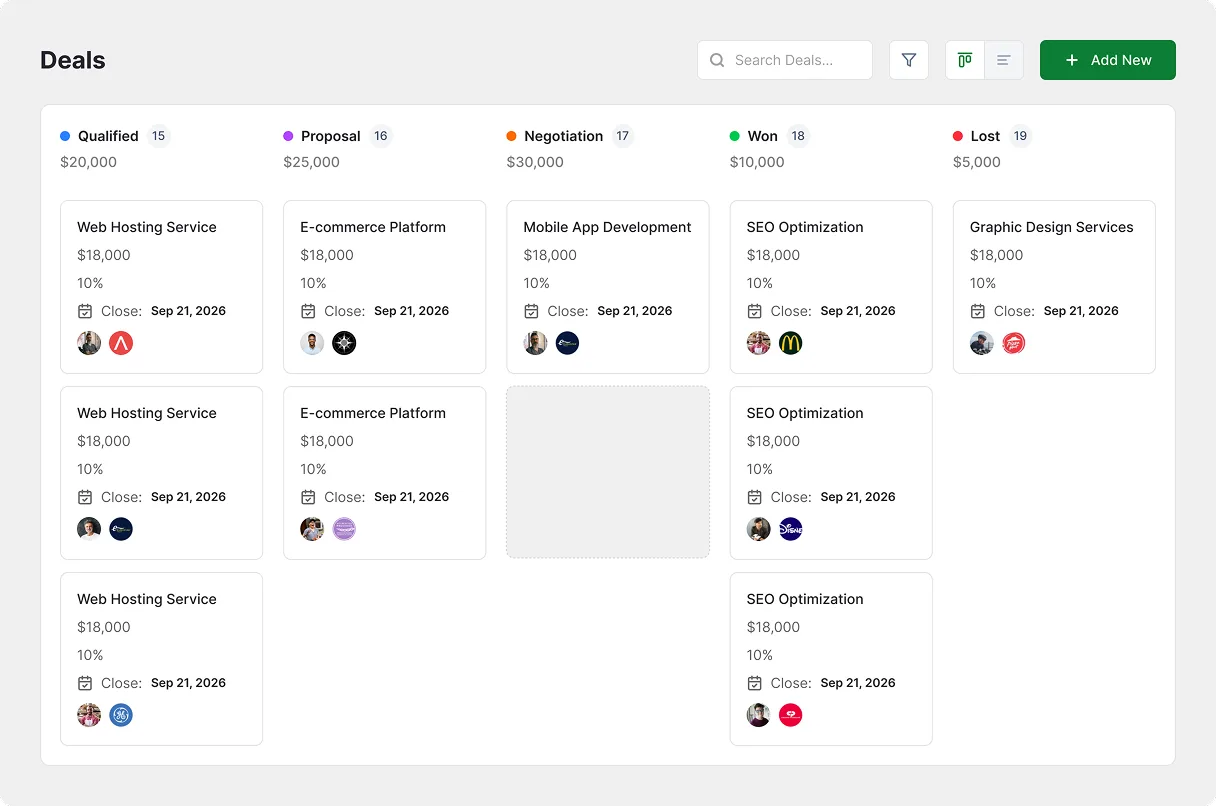
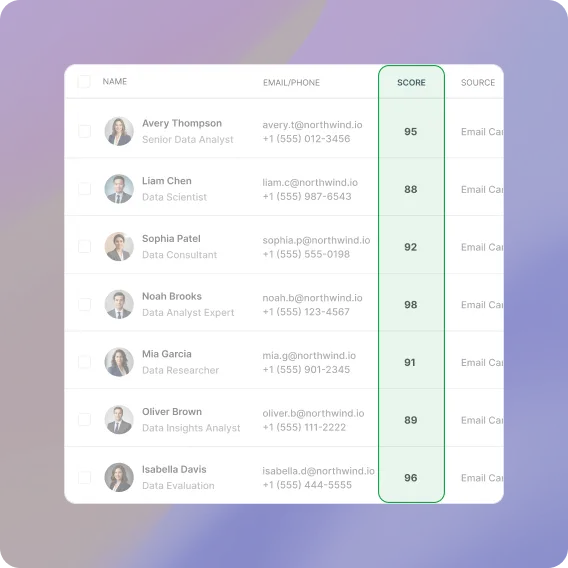
Know Who to Call First
Automated 0-100 lead scoring highlights your highest-intent prospects at the top.
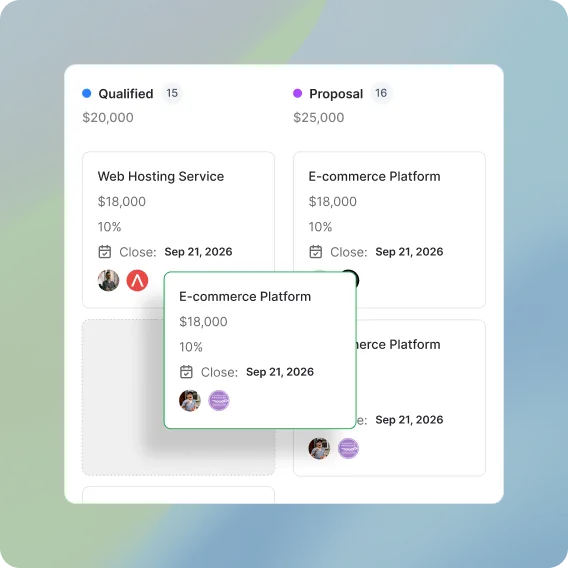
Move Deals by Dragging Cards
Advance opportunities through six stages instantly with smooth drag-and-drop.
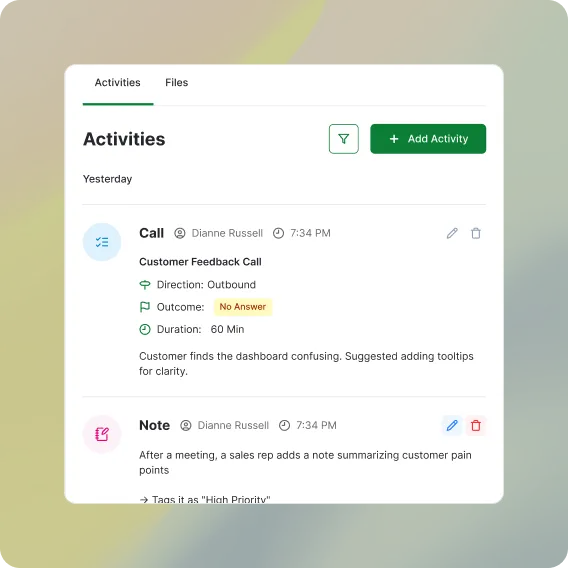
See Complete Activity Timelines
Every call, meeting, note, and task logged chronologically under each deal.
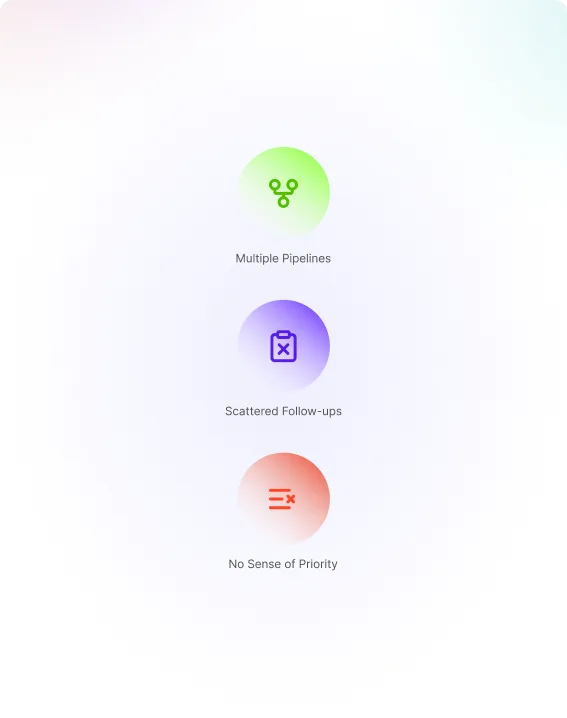
Leads Go Cold While Nobody Notices
Deals get lost when sales tracking lives across disconnected tools.
Multiple Pipelines
Separate pipelines for new business, upsells, or regions. Each tracks its own stages.
Scattered Follow-ups
Calls live in one tool, notes in another. The next step is never where you look for it.
No Sense of Priority
Every lead looks the same in a list, so the warmest ones sit untouched for days.

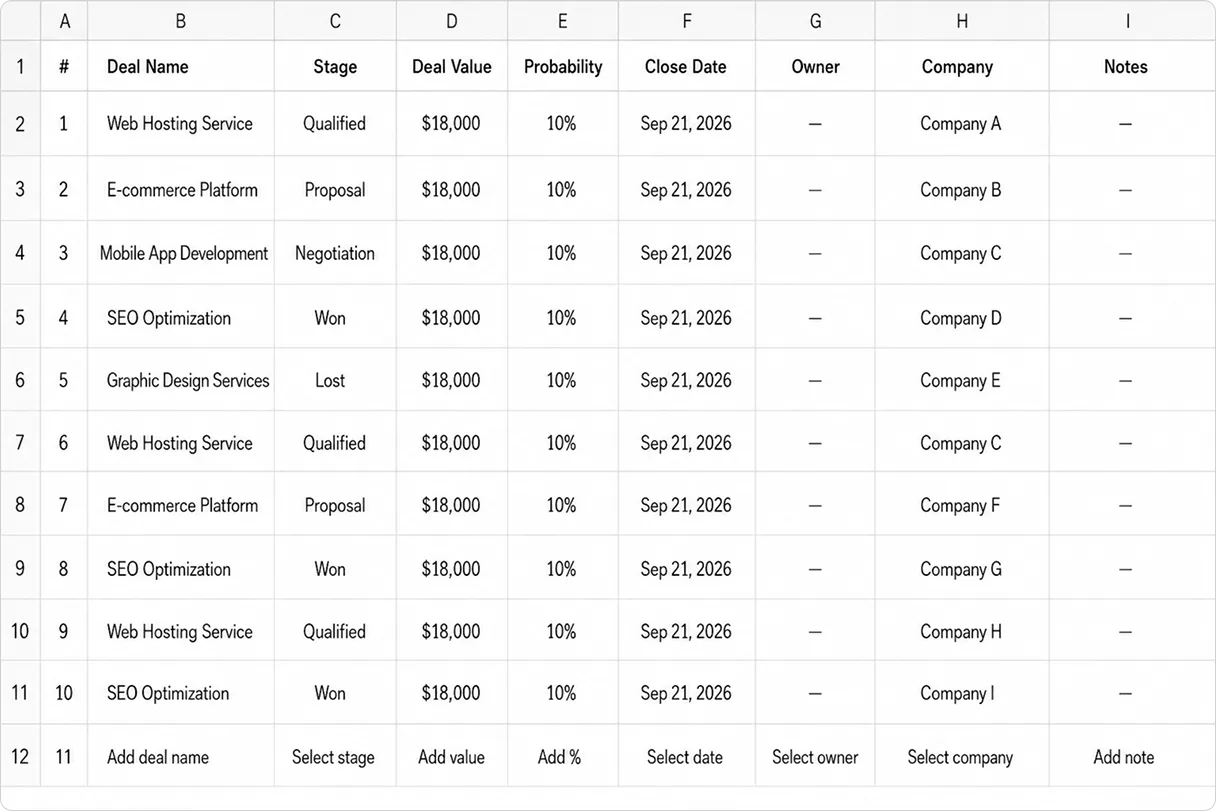
Without FlyCRM
Scattered spreadsheets, untracked trade show leads, missing follow-up dates, and manual deal counting for every status report.

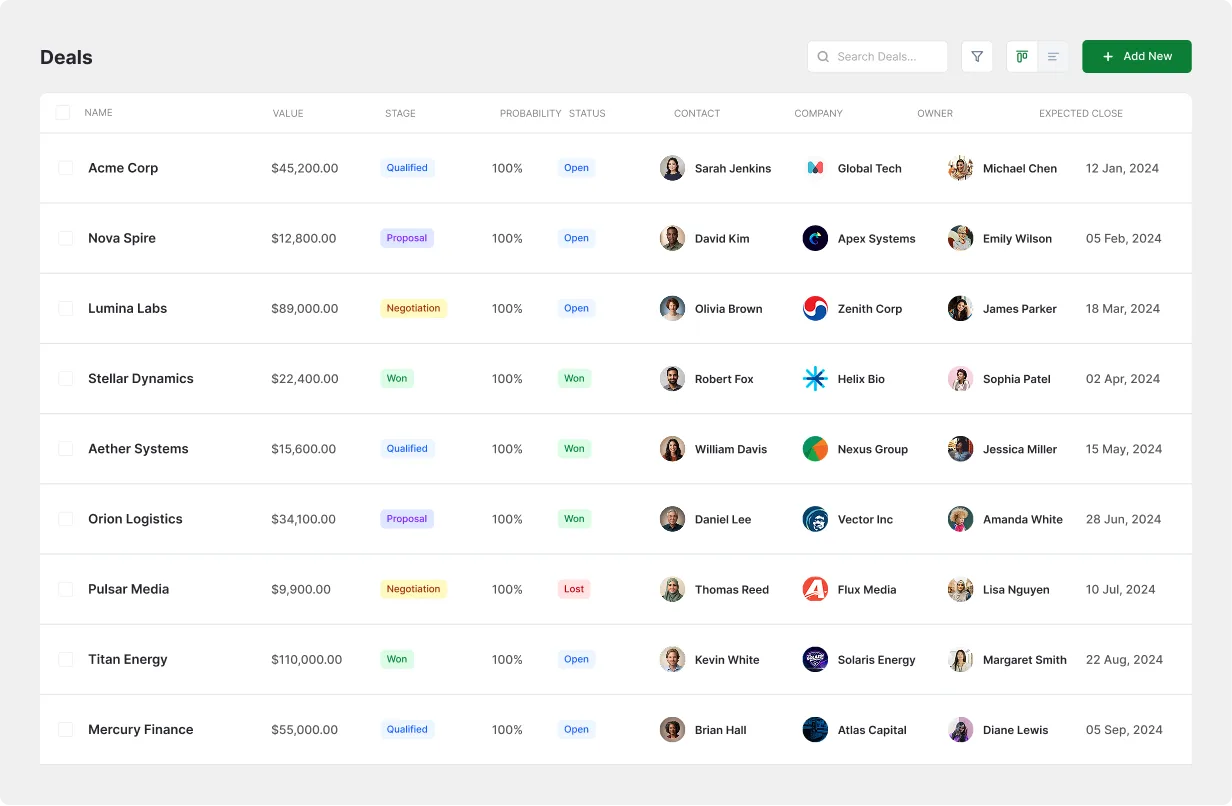
With FlyCRM
One organized board, top-scored leads prioritized, clear deal stages, and instant pipeline visibility with zero guesswork.
Drag a Deal, The Pipeline Updates
Track every deal across customizable stages from Lead to Won. Drag cards between columns to update stages instantly, or switch to list view with one click.
The Best Lead, Not the Newest Lead
Rank leads from 0 to 100 based on engagement. Automatic source and UTM capture track every inbound channel, from website forms to campaigns.
The Whole History, Under the Deal
Unified deal timelines display every call, meeting, note, and upcoming task in chronological order with assigned deal owners.
Also in Leads & Pipelines
Everything you need to manage leads and close deals effectively.
Custom Stages
Customize stage names and workflows to match your exact sales cycle.
Board & List Views
Toggle seamlessly between visual Kanban boards and dense data tables.
Deal Owners
Assign dedicated reps to ensure accountability on every account.
Custom Fields
Capture unique business data points tailored to your industry.
Tags & Filtering
Segment and filter prospects instantly with flexible custom tags.
Lead Sources
Track conversion performance across 8 distinct acquisition channels.
UTM Tracking
Attribute revenue back to specific campaigns, ads, and referral links.
Lead Statuses
Monitor lifecycle progression from new inquiry to converted customer.
Questions and Answers
-
Yes. Rename, reorder, or add custom stages anytime to match your sales process.
-
Scores (0-100) rank buyer intent based on engagement, profile data, and interactions.
-
Yes. Switch between Kanban and list table views in one click with data fully synced.
-
FlyCRM auto-logs sources including web forms, email campaigns, trade shows, and referrals.
-
Yes. All calls, meetings, notes, and tasks appear on a single chronological timeline.